Collect the words you meet
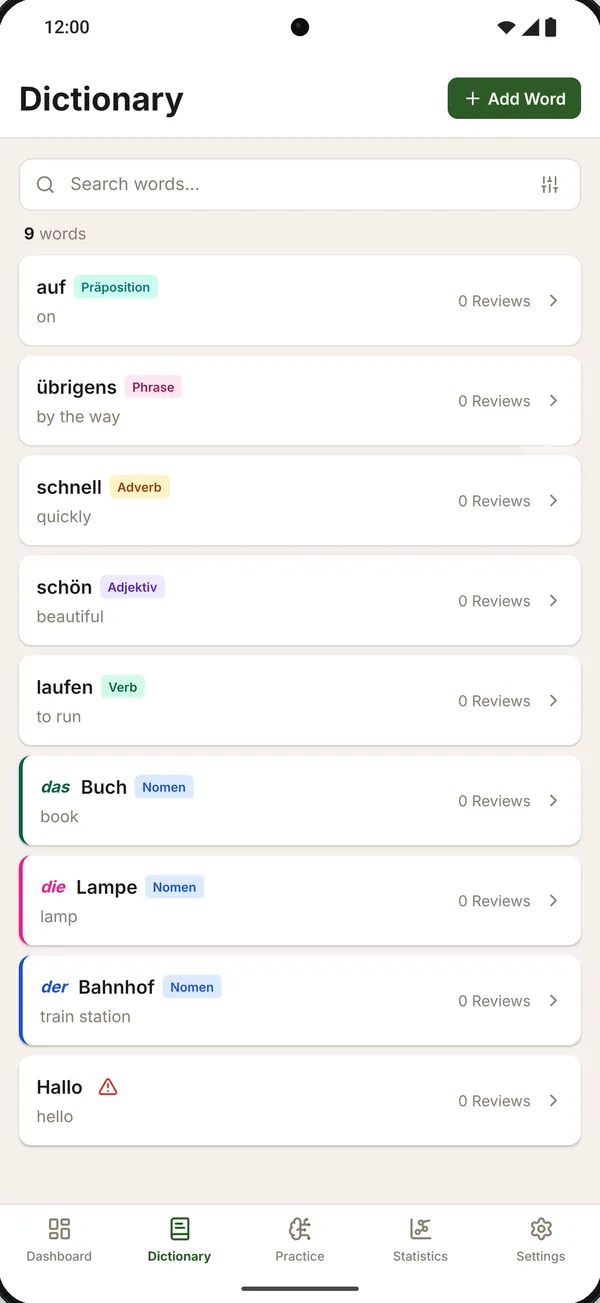
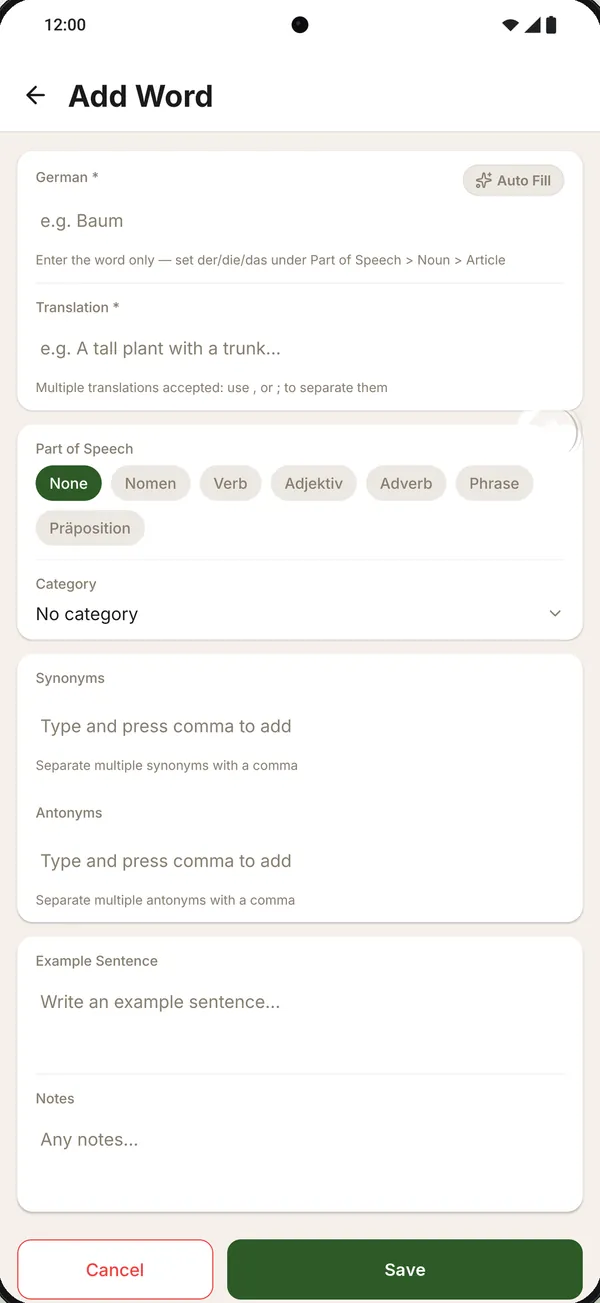
Type the word and its translation, pick a word type, done. Add plural, example sentences, synonyms and notes whenever you want more. Type “der Hund” and Nookab files the article for you.
Free on Google Play · No account needed
The offline vocabulary notebook with no pre-built word lists. You fill it with the words you actually meet — in books, shows and conversations — then practise them three ways and watch them stick.

Why Nookab
Most vocabulary apps hand you someone else's word list. Nookab starts with yours — the words from your books, your shows, your conversations. Every word you practise is one you chose to learn.
How it works
Type the word and its translation, pick a word type, done. Add plural, example sentences, synonyms and notes whenever you want more. Type “der Hund” and Nookab files the article for you.
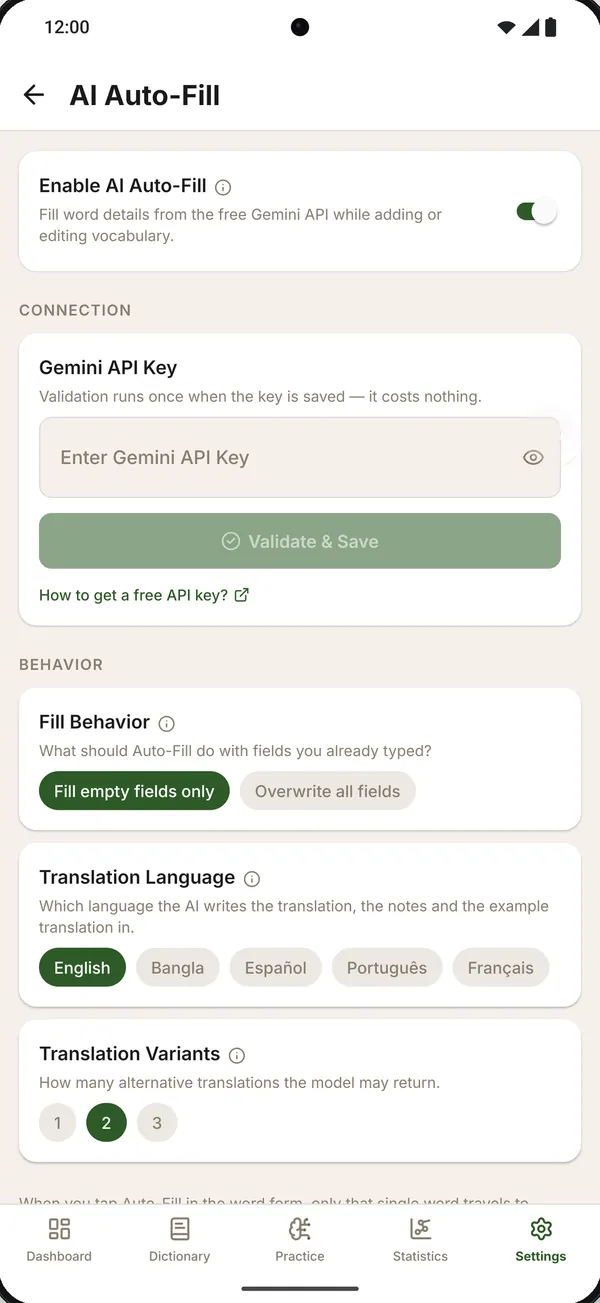
Turn on AI Auto-Fill with your own free Gemini key and one tap suggests translations, grammar and examples for you to review. It's off by default, and your word goes straight from your phone to Google — never to us.
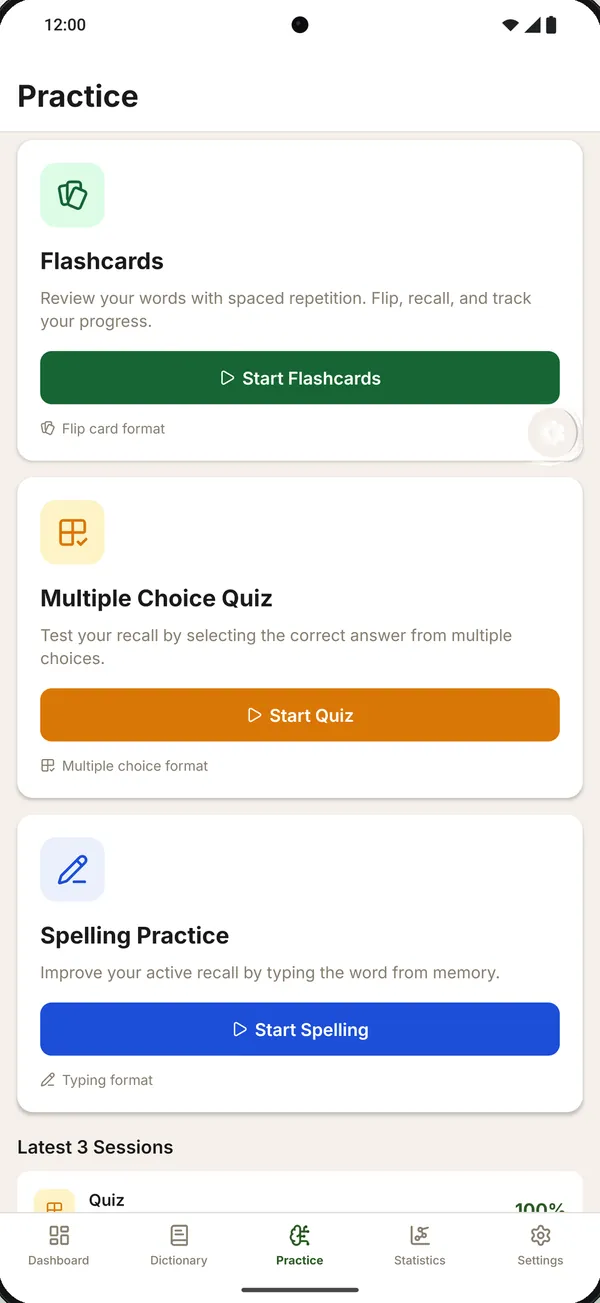
Flashcards, a four-option quiz or spelling from memory. Sessions run from 5 to 100 questions and can be narrowed to any category — Travel, Food, Work, whatever you made.
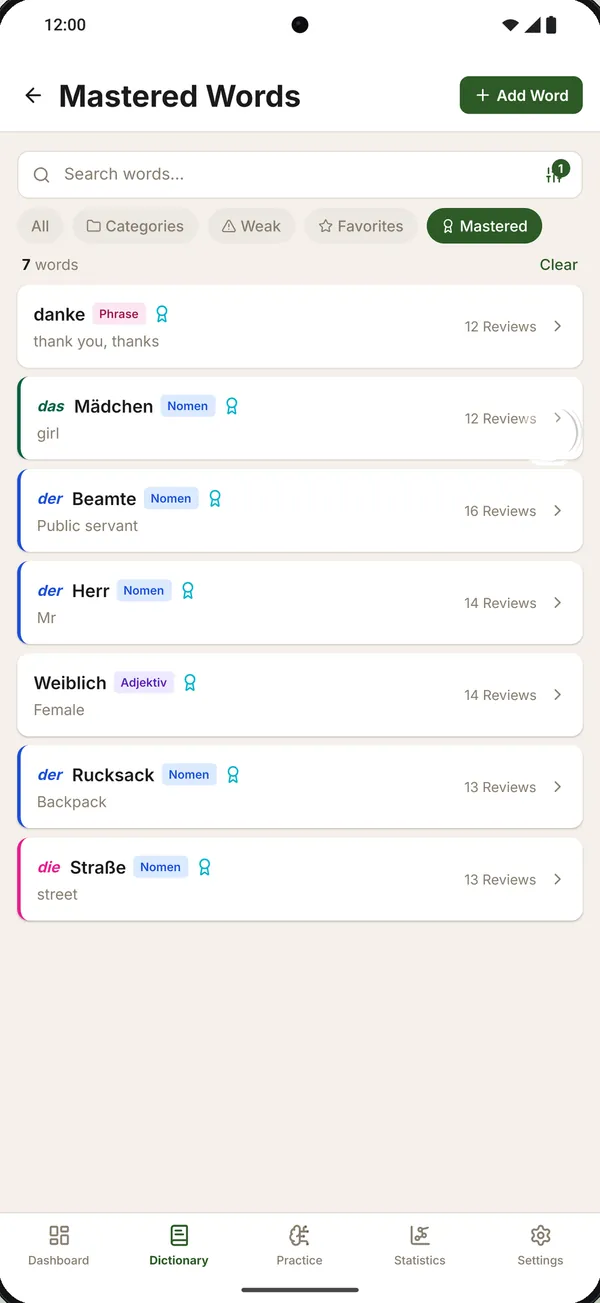
Every answer moves a word's mastery score. Get it right across modes and days, and it earns its trophy. Get it wrong, and Nookab brings it back sooner.
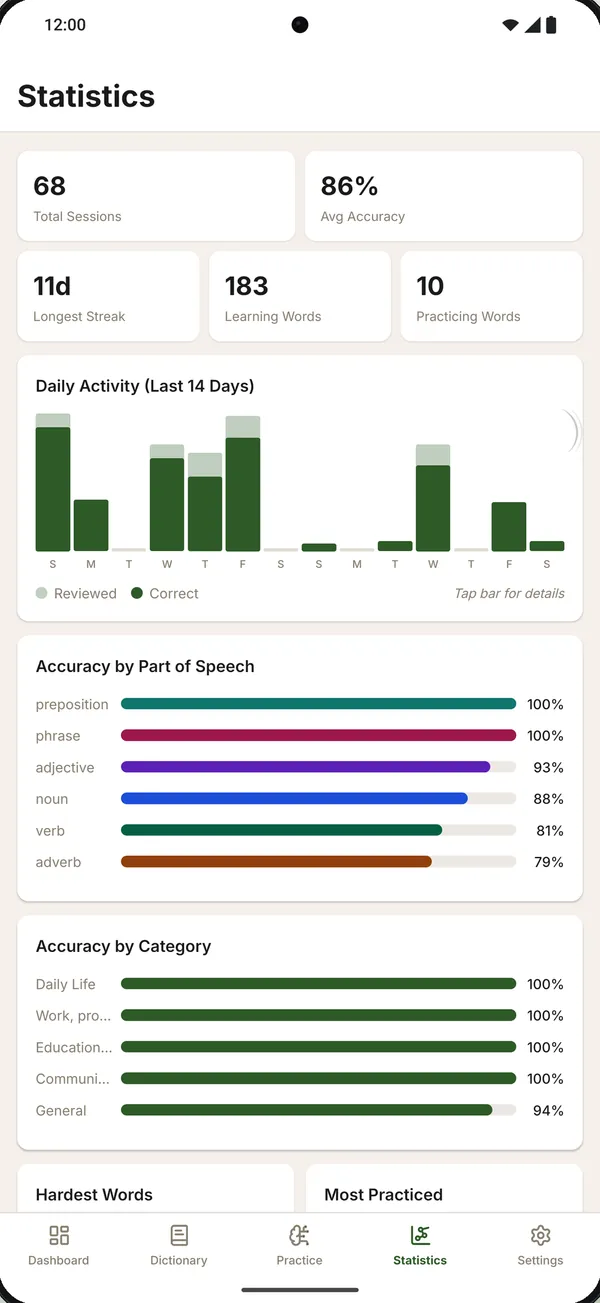
Your statistics show 14 days of activity, accuracy by word type and category, your longest streak, and the words that still give you trouble — so you know exactly what to practise next.
Two languages
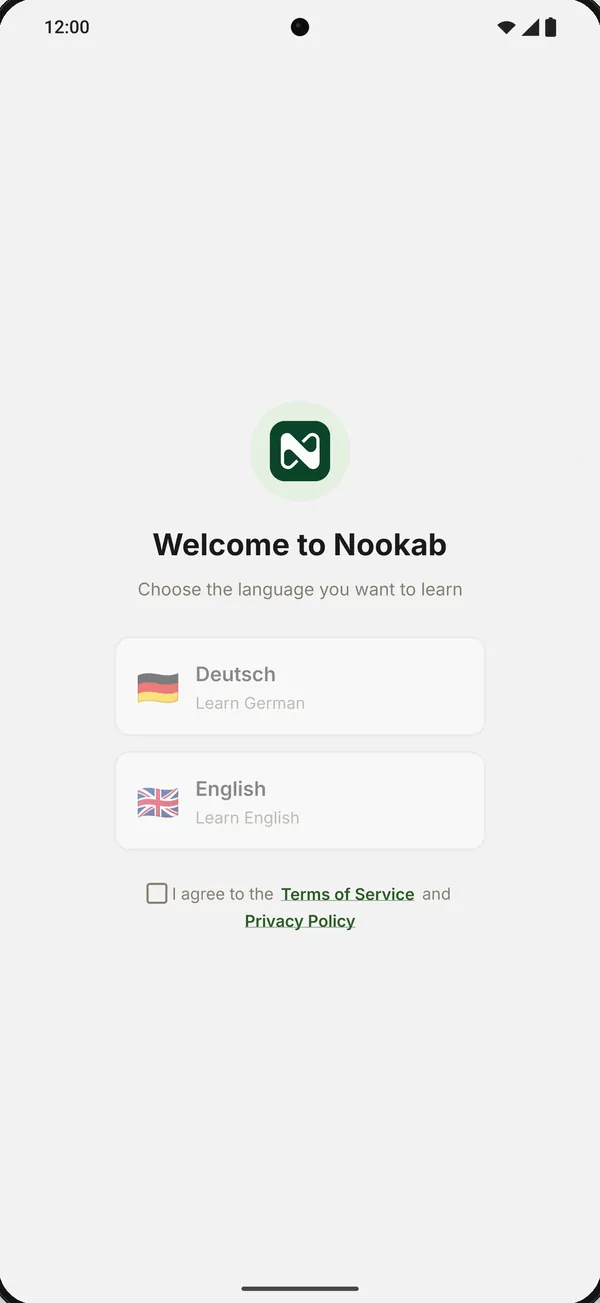
Pick the language you're learning when you start, and Nookab shapes every word card, grammar field and practice session around it.
der is blue, die is pink, das is green — on every list, card and quiz. After a while, you stop guessing. Tap a card to flip it.
Irregular verbs, comparatives, plurals that break the rules — Nookab keeps them right next to the word, so you learn the whole thing at once. Tap a card to flip it.
Practice
Recognise it, choose it, then spell it. Each mode is a little harder — and is worth a little more.
Keep scrolling
Flip. Recall. Remember.
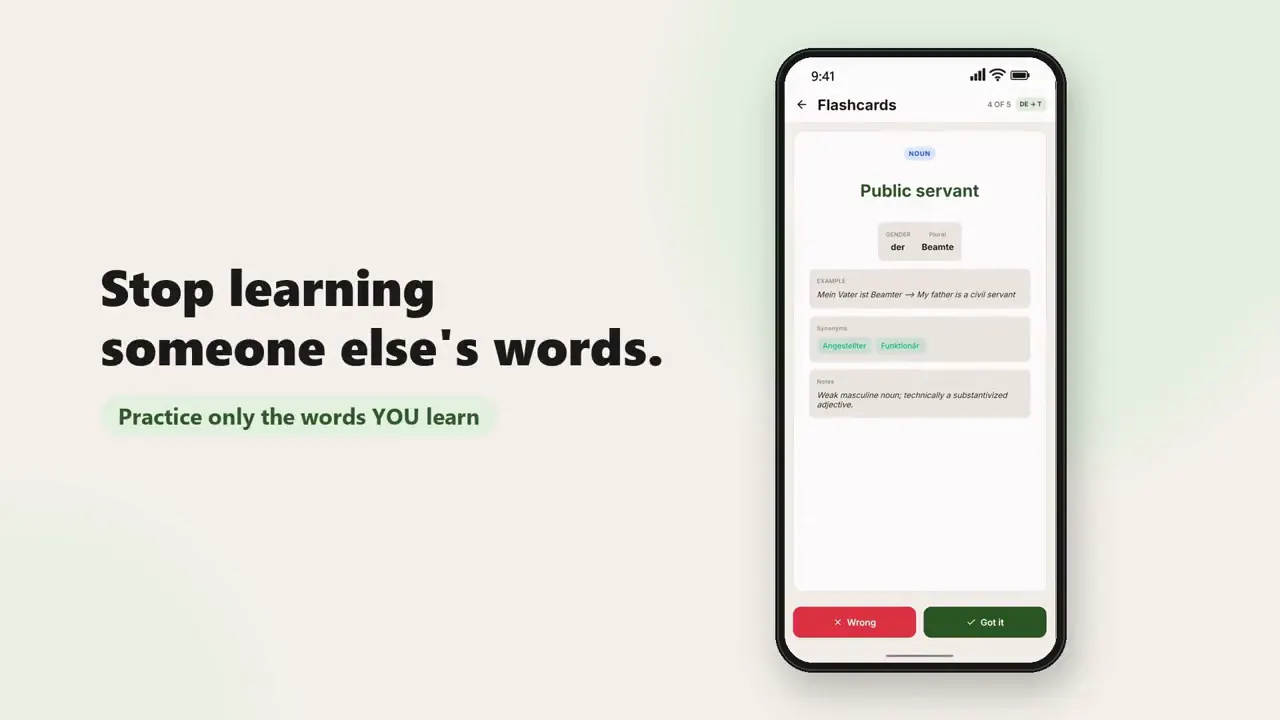
Choose your direction, flip the card, then be honest with yourself: Got it or Wrong. The back shows the article, plural, examples and your notes.
+5 mastery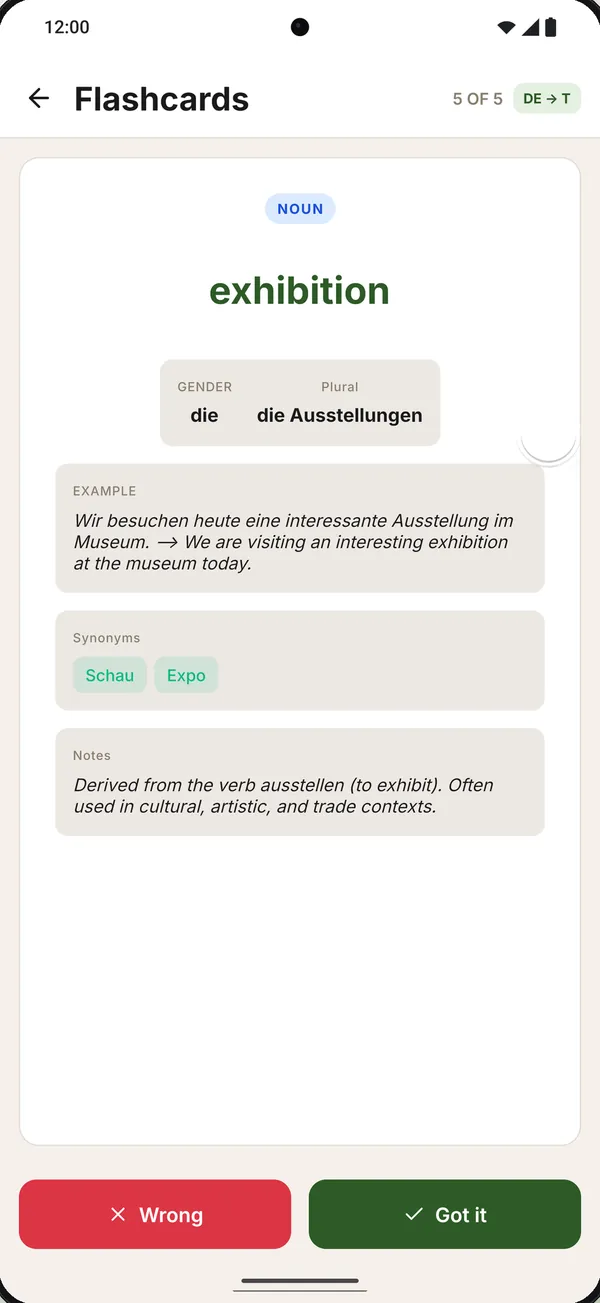
Pick the one that fits.
Four options, built only from words you added. Right answers light up green instantly, so you know what's sticking.
+10 mastery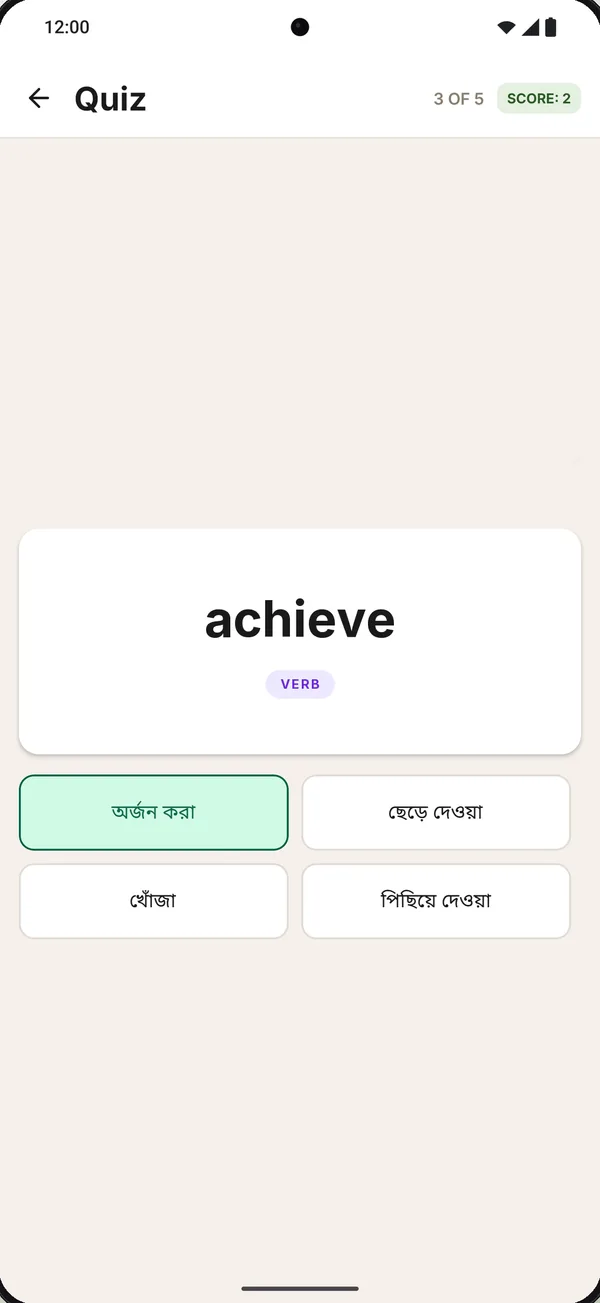
Type it from memory.
No options, no hints — full recall. Capitals don't count against you, and German learners get an ä ö ü ß bar right above the keyboard.
+15 mastery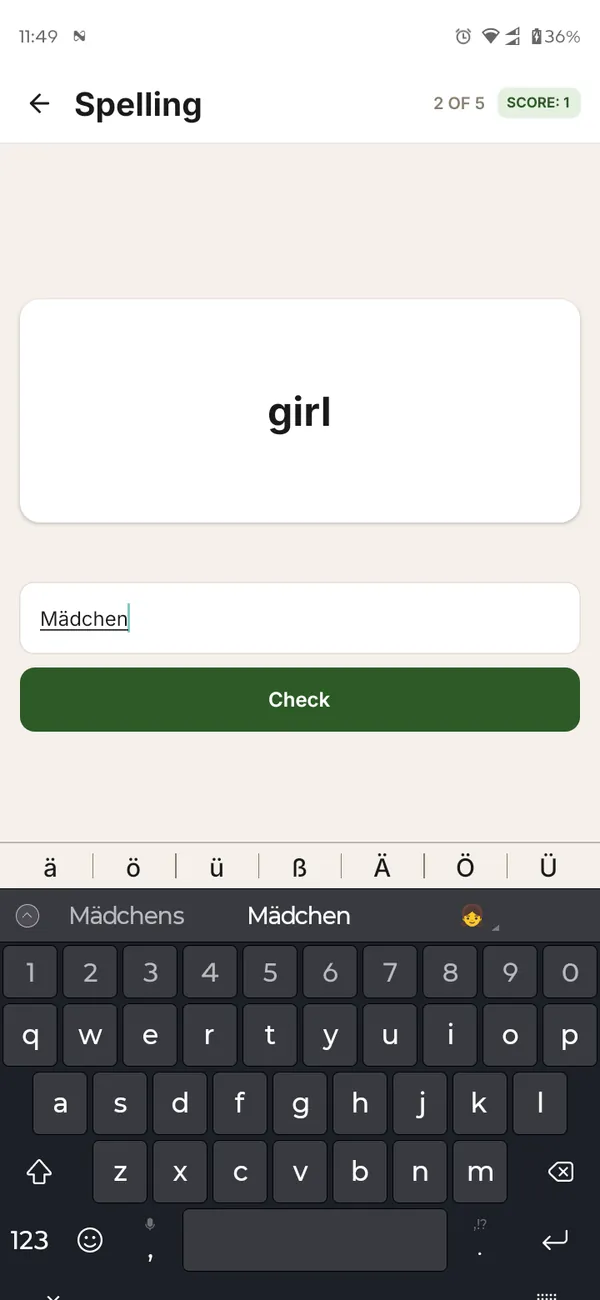
Mastery
Every word carries a score from 0 to 100. Right answers push it up; a wrong one costs 20 points. No streak-padding, no shortcuts.
Miss a word twice in a row — or drop below 60% accuracy after five reviews — and Nookab flags it. To lose the flag, it has to prove itself:
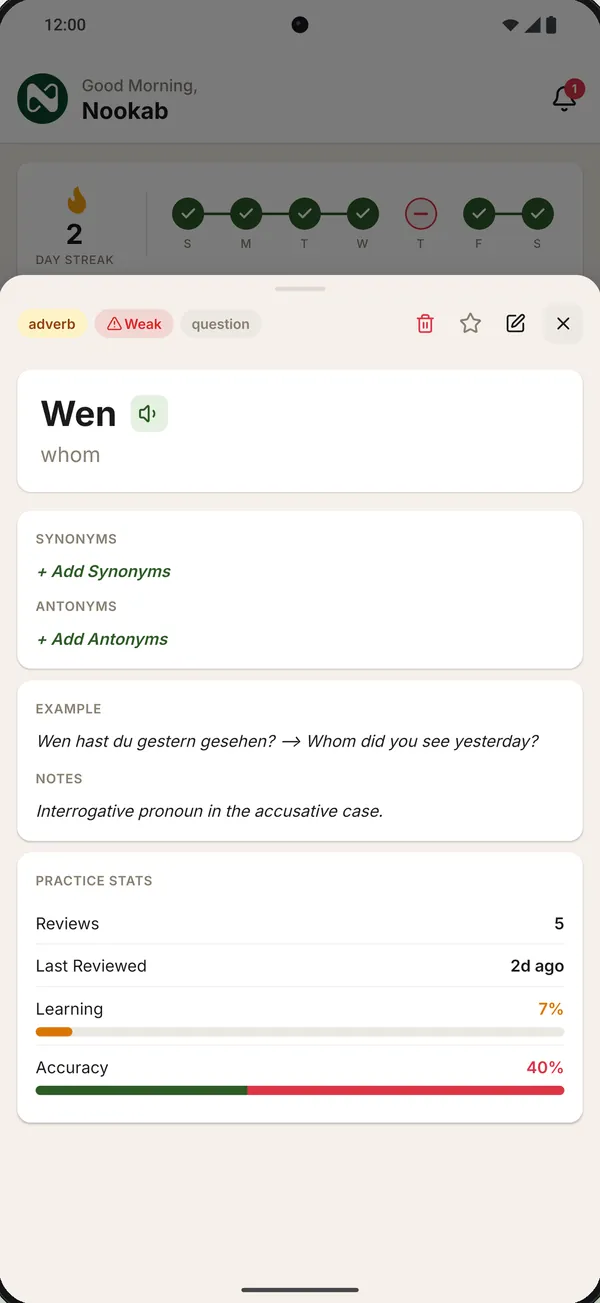
Each practice round is built from your riskiest words first. It suggests — it never locks a word away. Practise whatever you want, whenever you want.
Everything else
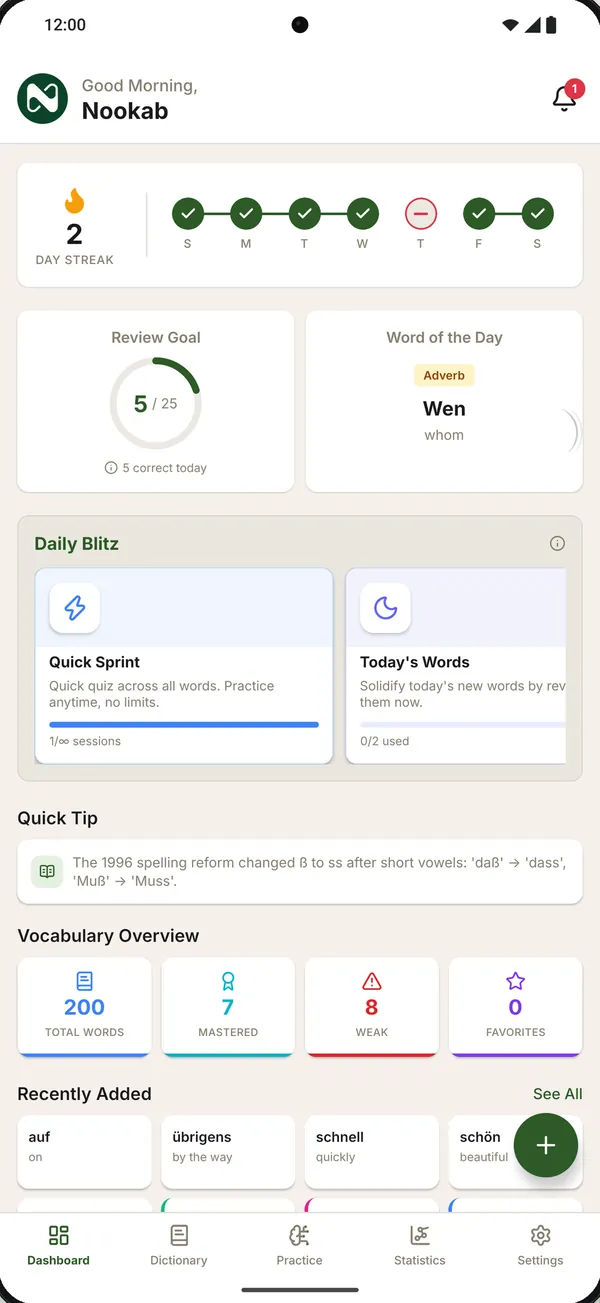
A day counts when you finish a session, add a word or edit one. Your last seven days, at a glance.
Pick a goal from 1 to 999 words a day.
14-day activity, accuracy by word type and category, your hardest words and your most practised.
Export everything to one Excel file — words, mastery and history — and restore it on a new phone. Opens in Excel, Google Sheets and LibreOffice.
Only for German learners — the bar sits right above your keyboard while you type.
Hear any word in German or English, using your phone's own voices.
Word of the Day, streak and goal reminders, a weekly summary — each with its own switch.
The film
Offline
No account, no server, no analytics. Your vocabulary lives on your phone, and every core feature works without an internet connection.
No sign-up, no email, no password. Open the app and start adding words.
No cloud copy, no tracking, and your words are never used to train AI.
Export everything to XLSX anytime — it's a real spreadsheet, not a locked format.
AI Auto-Fill is optional and uses your own key. Nothing else needs a connection.
FAQ
Something missing? Email us — a real person reads every message.
An offline-first vocabulary notebook for people who want to practise the words they actually meet. Instead of a pre-built course, you add words from your own reading, watching and conversations — then practise them with flashcards, quizzes and spelling.
Yes. Every practice mode, chart and setting is available from day one. No subscriptions, no in-app purchases, no locked features.
Yes. Adding words, every practice mode, statistics, streaks, reminders and Excel import/export all work in airplane mode. The only feature that needs internet is the optional AI Auto-Fill.
German or English — you choose one when you start. English learners get past tense and past participle for verbs and comparative and superlative for adjectives; German learners get color-coded articles, plurals, genitive and full conjugations. German learners can also switch the app interface to German. AI Auto-Fill can translate into English, German, Bangla, Spanish, Portuguese or French.
Each session mixes weak, learning, practicing and mastered words (roughly 40/30/20/10), with the words you're most likely to forget first. Unlike strict spaced-repetition apps, it never blocks you from practising any word.
An optional helper, off by default. With your own free Google Gemini API key, one tap suggests a word's translation, grammar, examples and more. Only the word you typed is sent — directly from your phone to Google, never to us. Always give the suggestions a quick check.
Go to Settings → Import & Export and export your vocabulary as an Excel file. Import it on the new phone and your words, mastery and practice history come with it. Since everything lives on your device, this file is also your backup.
An SQA engineer learning German, who kept losing new words to notebooks and scattered apps. Every feature in Nookab solves a problem from that journey. It's built and published by Hanan Atelier.
Download Nookab free and add the first word you meet today.